← Back to Pelican Coder
ðŸĶĪ Pelican Coder

Thoughtful apps for iOS & Android

How to Get Your OpenAI API Key

Follow these steps to obtain an OpenAI API key and use it with Come Unto Me: AI Jesus.
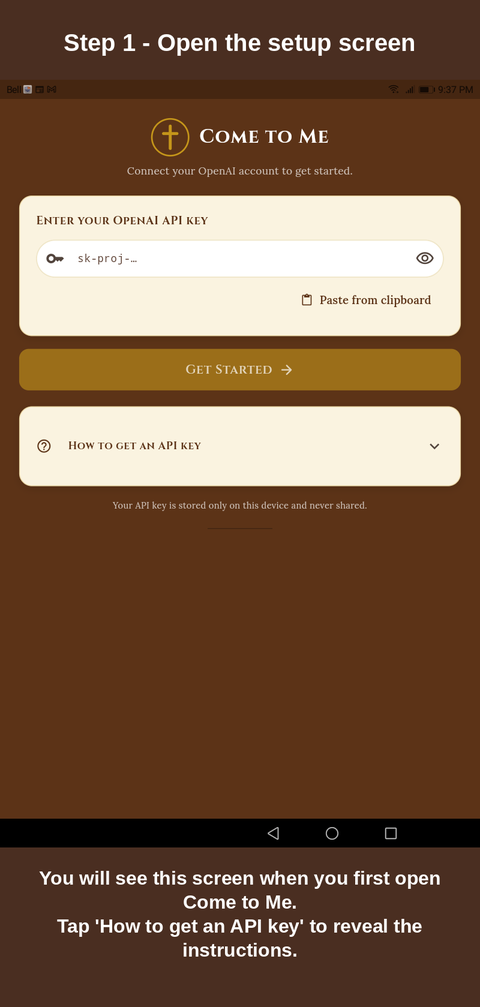
  1. Step 1 — Open the setup screen
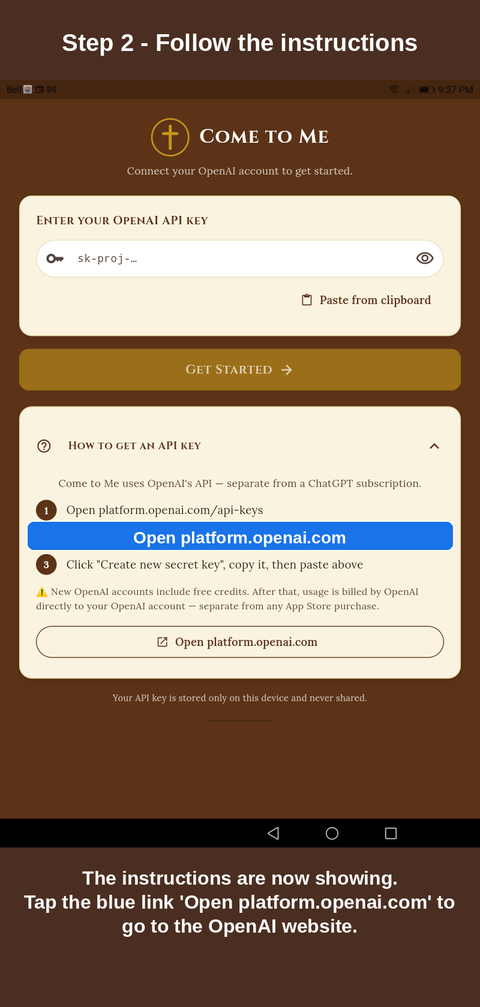
  2. Step 2 — Follow the instructions
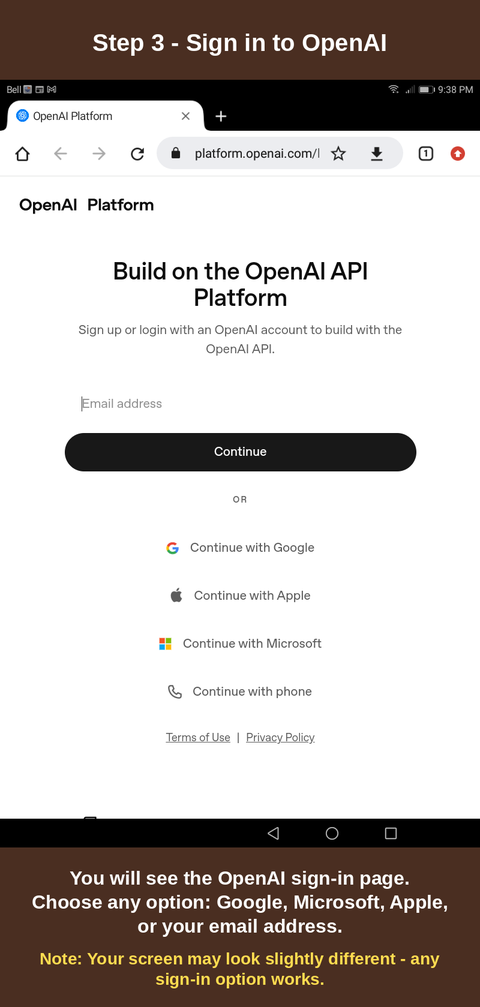
  3. Step 3 — Sign in to OpenAI
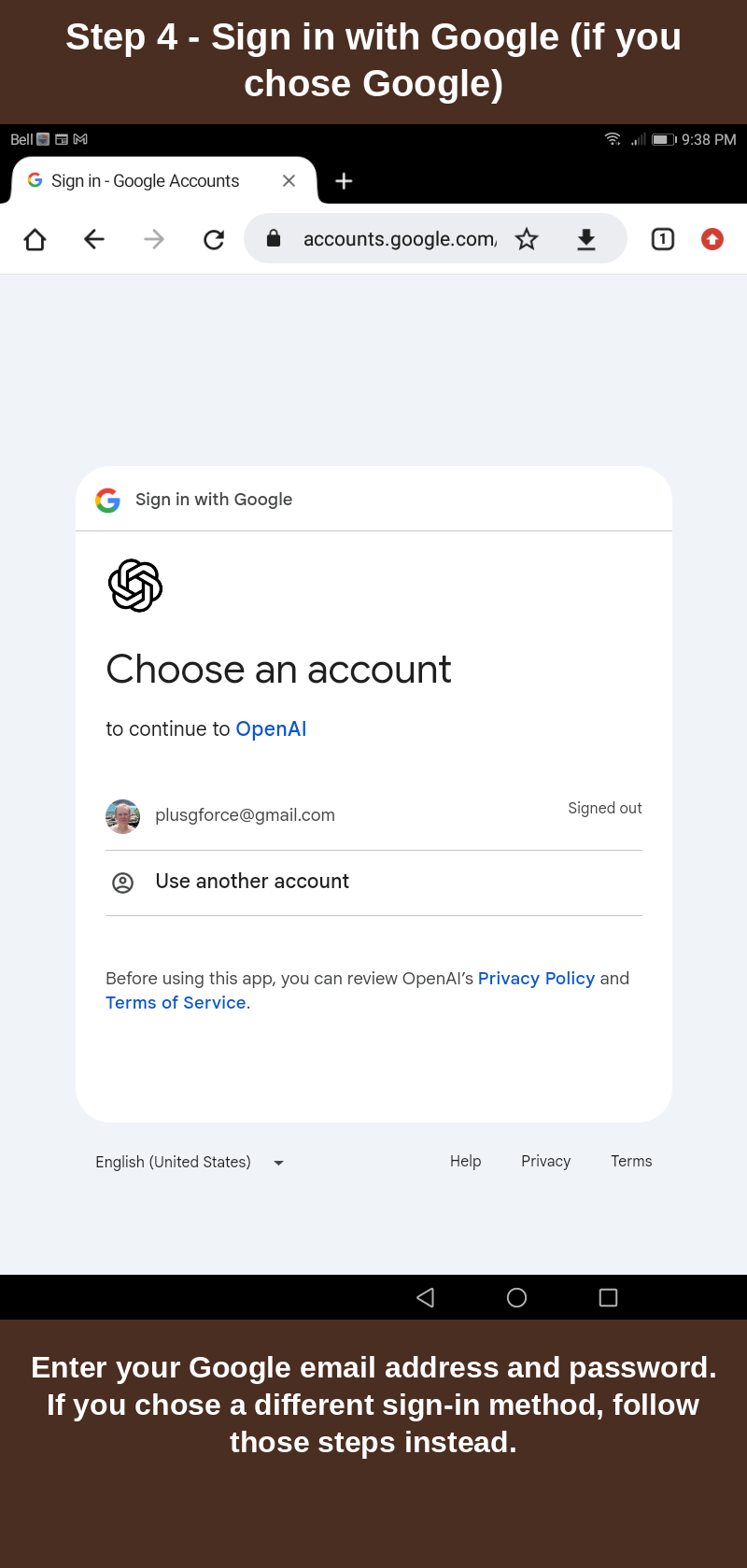
  4. Step 4 — Sign in with Google
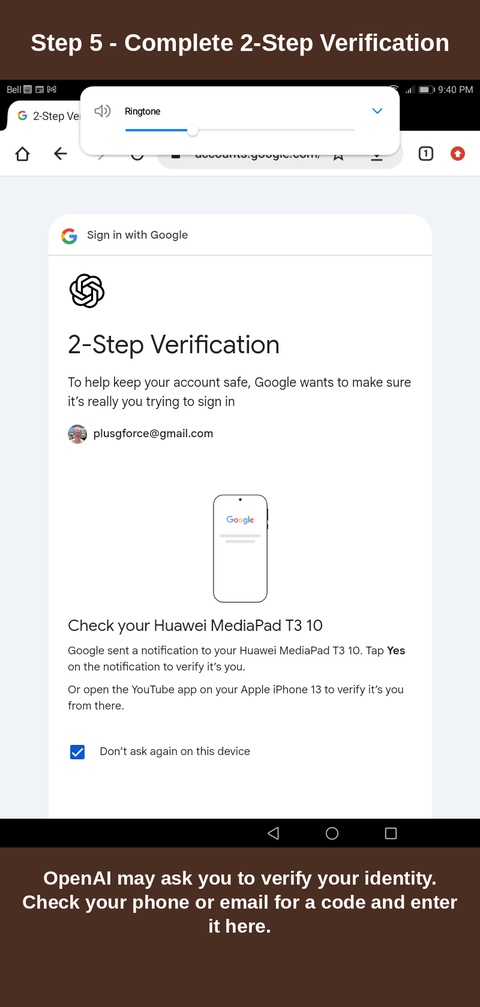
  5. Step 5 — Complete 2-Step Verification
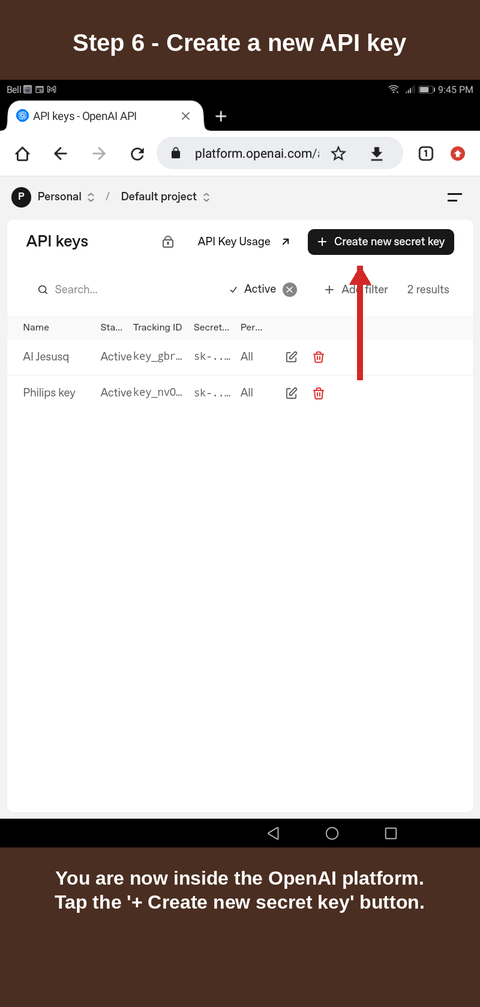
  6. Step 6 — Create a new API key
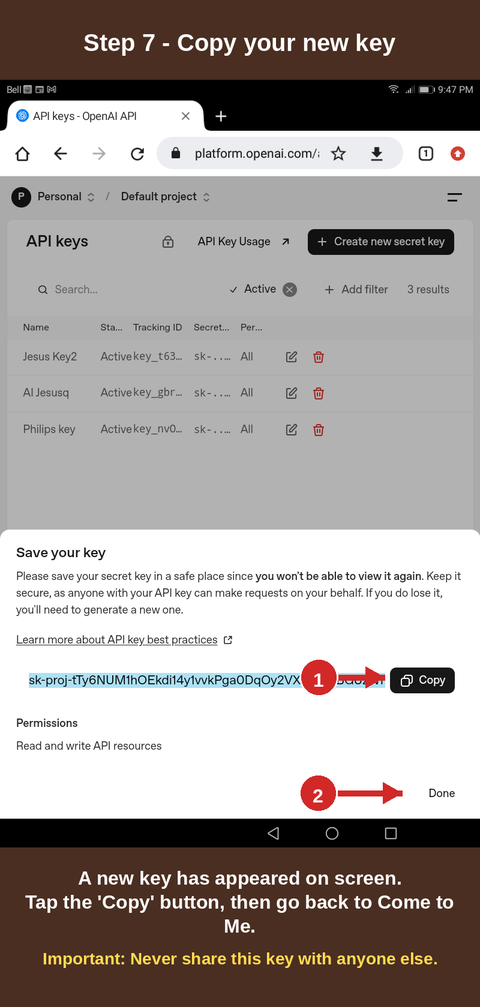
  7. Step 7 — Copy your new key
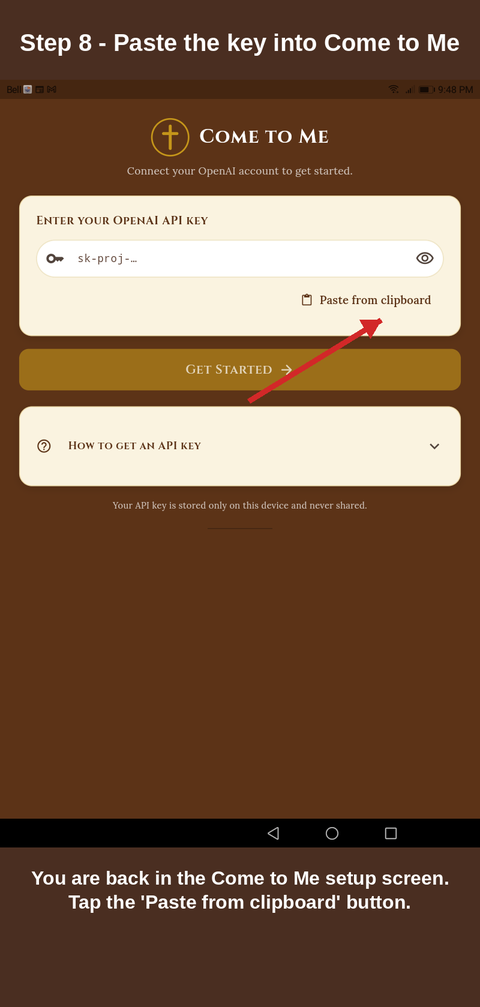
  8. Step 8 — Paste the key into Come to Me
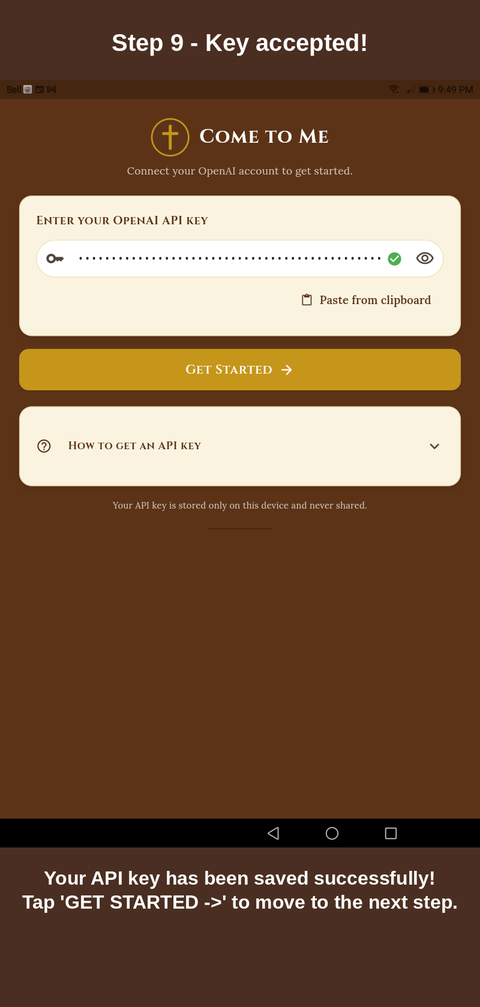
  9. Step 9 — Key accepted!
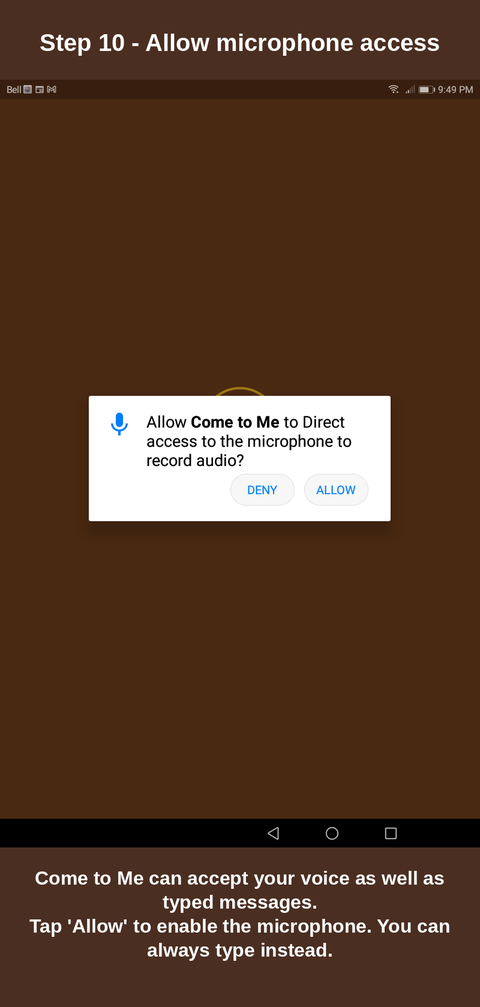
  10. Step 10 — Allow microphone access
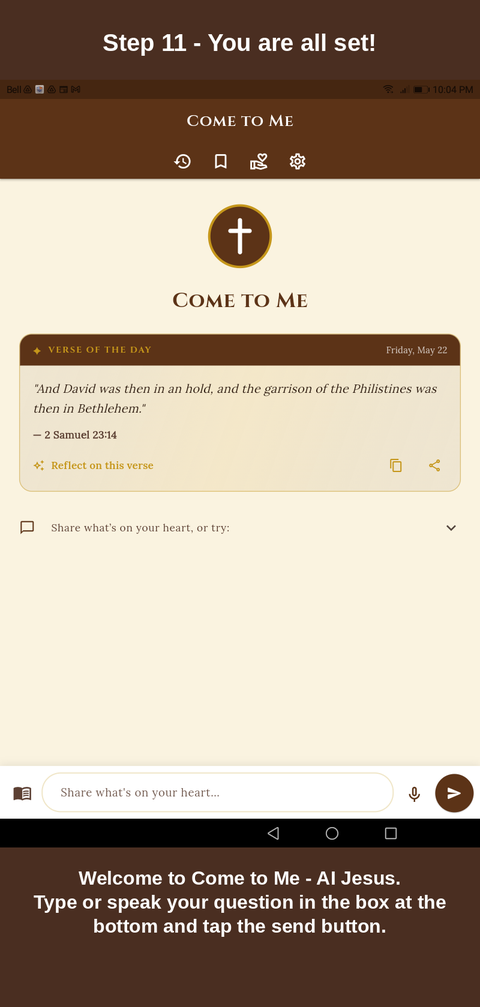
  11. Step 11 — You are all set!